Best IPTV Devices for Streamlink Pro Users
Best Device for IPTV
Choosing the best device for iptv is one of the most important decisions Streamlink Pro users can make. Even the most reliable service performs poorly on weak hardware. The right device unlocks smoother playback, faster channel switching, and fewer interruptions during live events.
This guide is written specifically for Streamlink Pro viewers who want stable performance, long-term reliability, and an easy setup across multiple screens.
Why Device Choice Matters with Streamlink Pro
Streamlink Pro delivers high-quality live TV and on-demand content, but performance depends heavily on your hardware. The best device for iptv must handle modern codecs, large channel lists, and continuous streaming without overheating or crashing.
A strong device improves:
- Channel loading speed
- EPG navigation
- Live sports stability
- 4K and HD playback
Many reported buffering issues are hardware-related, not service-related.
Top IPTV Devices Compatible with Streamlink Pro
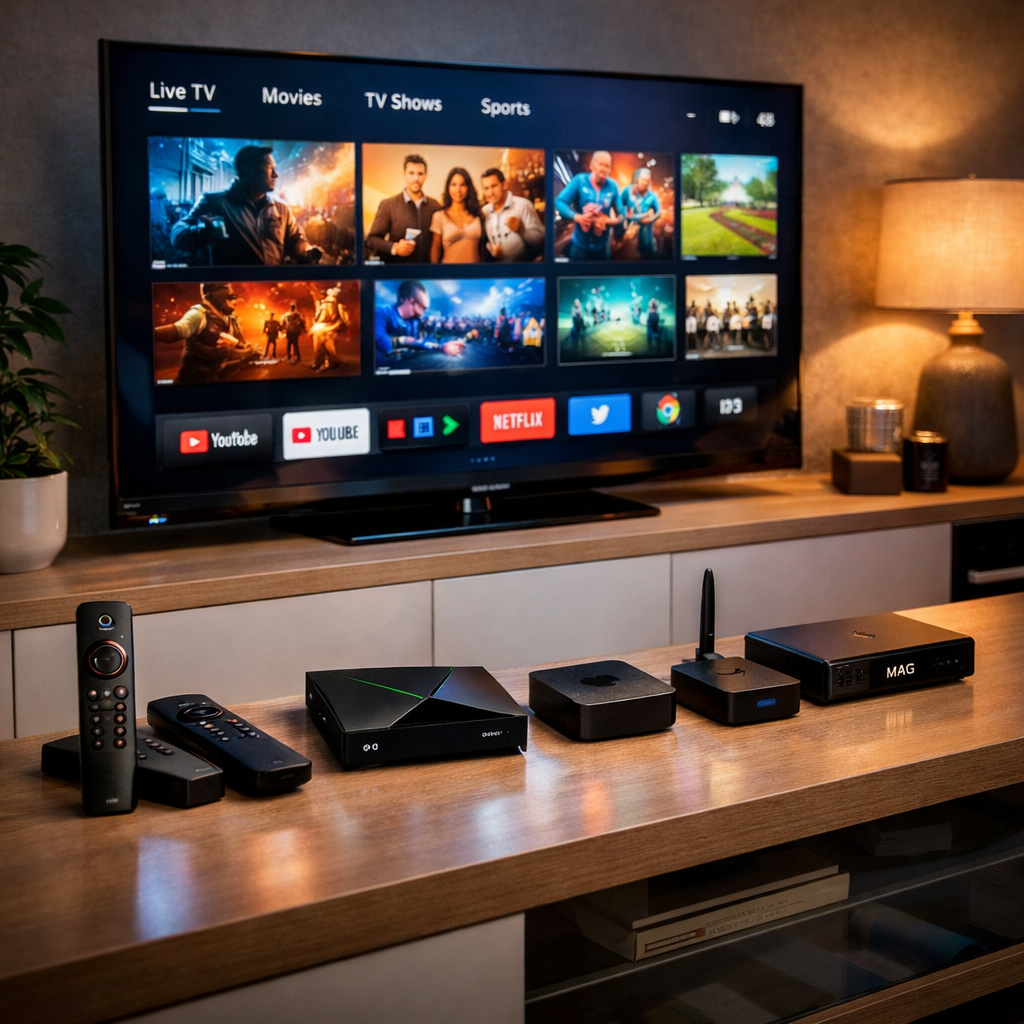
Amazon Fire TV Stick 4K Max
Built by Amazon, this is one of the most widely used IPTV devices worldwide. It works seamlessly with Streamlink Pro apps, supports 4K playback, and is extremely easy to configure. For most users, it offers the best balance of price and performance.
NVIDIA Shield TV Pro
From NVIDIA, this is the gold standard for power users. It handles high-bitrate streams effortlessly and is ideal for households streaming live sports or using multiple IPTV apps. Many advanced Streamlink Pro users consider this the best device for iptv when performance is the top priority.
Certified Android TV Boxes
Official Android TV boxes provide flexibility and wide app support. When properly certified, they run Streamlink Pro smoothly and allow customization without complex setup. They are a strong mid-range option for users who want control without premium pricing.
Apple TV 4K
Apple TV delivers excellent stability and fast navigation. While more restrictive than Android-based devices, it remains a solid choice for Streamlink Pro users already invested in the Apple ecosystem.
MAG IPTV Set-Top Boxes
MAG devices are purpose-built for IPTV. They offer simplicity, reliability, and consistent performance. While they lack flexibility, they remain popular among resellers and users who prefer a straightforward IPTV experience.
What to Look for in the Best IPTV Device
When selecting the best device for iptv, focus on real performance indicators rather than marketing claims.
Key requirements include:
- Minimum 2GB RAM (4GB recommended)
- Stable Wi-Fi or Ethernet port
- Support for H.264 and H.265
- Regular firmware updates
Low-cost generic boxes often struggle with Streamlink Pro’s channel lists and live events.
Mini Case Study: Hardware Upgrade Results
One Streamlink Pro reseller replaced generic Android boxes with Fire TV Stick 4K devices for new customers. Support tickets related to buffering dropped by nearly half within two weeks. This clearly shows how the best device for iptv directly improves user satisfaction without changing the service itself.
For device updates and compatibility news, users can check https://streamlinkpro.com/latest-news/.
Matching Devices to Viewing Habits
Different users need different setups. The best device for iptv depends on how you watch Streamlink Pro content:
- Casual viewing: Fire TV Stick 4K
- Sports and 4K channels: NVIDIA Shield TV Pro
- Simple plug-and-play TV use: MAG boxes
- Apple ecosystem users: Apple TV 4K
Those managing multiple connections or reseller accounts can explore structured solutions at https://streamlinkpro.com/resellers/.
Common Mistakes Streamlink Pro Users Should Avoid
- Buying uncertified Android boxes
- Ignoring Ethernet connectivity
- Choosing devices with limited storage
- Overpaying for unused features
Avoiding these mistakes ensures your Streamlink Pro setup remains reliable long-term.
FAQ
Is Ethernet better than Wi-Fi for Streamlink Pro?
Yes. Ethernet provides more consistent speeds, especially during peak live sports events.
Can smart TVs replace IPTV devices?
Some can, but external devices usually offer faster updates and better long-term performance.
How often should I replace my IPTV device?
A quality device should last 3–5 years with regular use.
Final Verdict
There is no one-size-fits-all answer, but choosing certified, well-supported hardware makes finding the best device for iptv straightforward. When paired with Streamlink Pro, the right device delivers smooth playback, fewer issues, and a better viewing experience overall.
For broader industry context, reviews and device analysis from https://www.bbc.com and https://techcrunch.com provide additional insight.